Equip Your Setup
Curated accessories for reliable, long-term monitoring.
Choose the tier that fits your improved security needs.
Power Cables
Using the right cable is critical for long-distance power runs. Standard cables lose voltage over distance, causing camera drops.
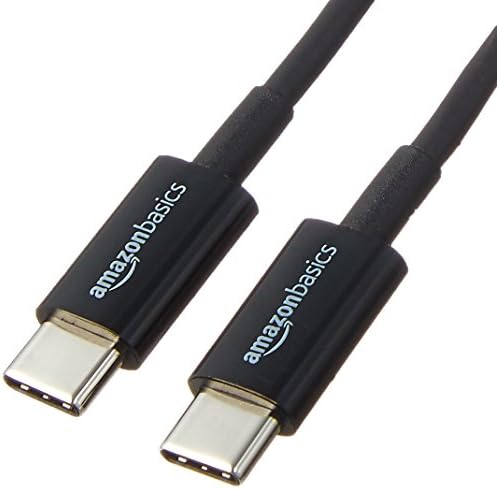
The Starter
Best for: Testing the app, short-term use, or near-outlet placement.
Basic 6ft Cable
Standard length braided cable. Reliable for everyday charging and monitoring.
- Length: 6ft (1.8m)
- Standard Gauge
- Durable Braiding

The Flexible Setup
Best for: Positioning cameras on shelves or corners away from outlets.
10ft High-Speed Cable
Enhanced length with thicker power wires to prevent charging issues.
- Length: 10ft (3m)
- 22 AWG Power Lines
- Reinforced Connectors

The 24/7 Monitor
Best for: Permanent installations, garage security, or outdoor enclosures.
15ft+ Active Cable
Premium shielding and gauge. Ensures stable power delivery over long runs.
- Length: 15ft+ (4.5m+)
- 20 AWG Heavy Duty
- Voltage Drop Protection
AC Power Adapters
Old chargers can overheat or undervolt your device. For continuous monitoring, stable power is key.
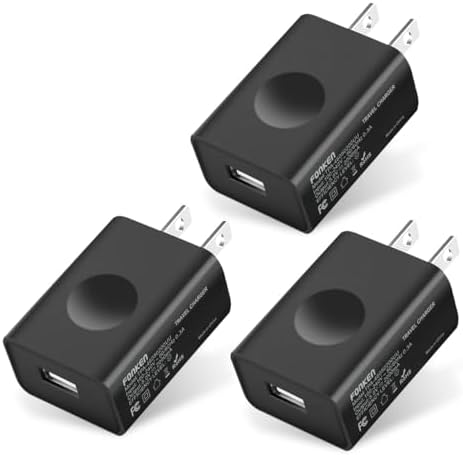
Single Device
Best for: Powering a single camera phone.
5V/2A Compact Block
Reliable output for most Android phones.
View on Amazon
Multi-Camera
Best for: Powering two devices from one outlet.
Dual Port Fast Charger
Smart IC technology distributes power safely.
View on Amazon
The Cool Runner
Best for: Devices running 24/7 in warm environments.
GaN Charger
Gallium Nitride tech runs cooler and safer tailored for continuous load.
View on Amazon⚠️ Critical Safety Notices
Battery Health
Continuous charging can generate heat. For 24/7 use:
- Remove the phone case to improve heat dissipation.
- Reduce screen brightness to the minimum.
- Consider apps or settings that limit maximum charge to 80%.
Cable & Adapter Safety
Not all cables are rated for continuous current.
- Discard any cable with fraying or exposed wires immediately.
- If an adapter feels hot to the touch, replace it with a higher-amperage rated unit.
- Avoid daisy-chaining extension cords.
Explore Use Cases
Baby Monitoring
Secure, offline monitoring for your nursery.
Front Door Cam
See who is at the door without expensive subscriptions.
Pet Watcher
Check on your pets while in another room.
Garage Security
Monitor your garage or driveway using an old phone.
3D Print Monitoring
Watch your prints remotely to catch failures early.
Home Lab & Inspection
Up-close inspection and recording for electronics or experiments.
Air-Gapped Security
Perfect for high-security areas where no internet connection is allowed.
Birds & Wild Life
Watch birds at the feeder or wild life in action from a safe distance.
RV & Camper Security
Off-grid security and pet monitoring for trailers and campers.
Laser & CNC Monitor
Sub-second low-latency oversight for laser cutters and CNC routers.